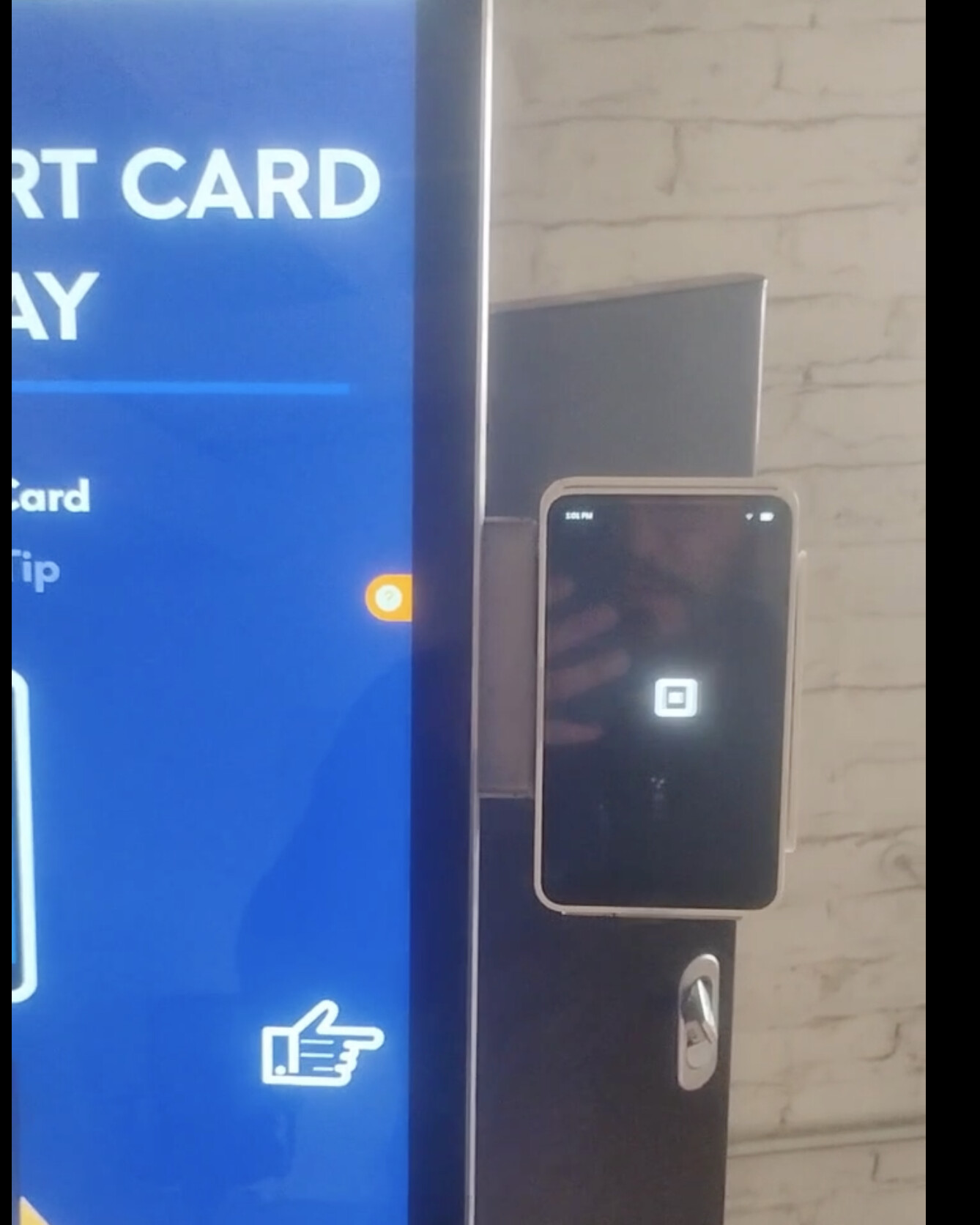
We need to escalate this ticket immediately. This issue is causing a critical blockage for the merchant. Approximately 90% of their sales are processed through these kiosks, and they are currently unable to accept payments during a high-volume weekend (Super Bowl weekend). They cannot afford this continued downtime.
The Specific Behavior: When the Square Terminal receives the CreateTerminalCheckout request, it does not transition to the blue “waiting for payment” screen as expected. Instead, the device simply refreshes the black background screen.
This behavior is highly abnormal because the GetTerminalCheckout API continues to return an IN_PROGRESS status, implying the checkout is active, yet the device UI fails to display the payment prompt.
We’ve reproduced it on the same merchant with good network and brand new Terminal:
Terminal SN: 546CS149C3000929
Checkout id: B3C5EBhiQTkqO, dmosqon6pNYqO
Troubleshooting Steps Taken: To rule out environmental factors, we have already performed the following:
Network Cross-Check: Tested via mobile hotspot to rule out merchant-specific WiFi/ISP issues.
System Reset: Completed a Factory Reset on the device; the issue persists.
Hardware/Location Isolation: We tested a brand new, fully updated terminal at a completely different location (our warehouse) on a verified good network. The result was identical, which allows us to rule out router whitelisting or firewall configurations at the merchant’s site.
Please investigate this immediately, as it appears to be a systemic issue rather than a local hardware or network fault.
Following up on our recent escalation regarding the CreateTerminalCheckout transition issue. We have conducted extensive A/B testing in our warehouse and have confirmed the root cause: This is a software regression in the latest Terminal update, not a network or hardware fault.
The Evidence:
Test A (Old App Version 6.90): We used a terminal with an outdated software version. The checkout flow worked perfectly.
Test B (Latest Version 6.92.1): We updated the same terminal to the latest available version. It immediately failed, reproducing the “refreshing logo screen” behavior.
Test C (Verification 6.77.1): We factory reset the failing unit and declined the update during setup. The checkout flow worked perfectly again.
Key Technical Details:
API Behavior: Even when the UI is stuck on the logo page, the GetTerminalCheckout API still returns IN_PROGRESS, confirming the backend logic is fine, but the device UI handler is broken in the latest build.
Impact: This is blocking a high-volume merchant (90% of sales) during Super Bowl weekend.
Details:
Terminal SN:546CS149C3000929 (Previously failed on latest update, not belongs to the A, B, C tests above).
The application id: sq0idp-667qGonbA9BRcTEXJflFpA.
Two Failed Checkout id: B3C5EBhiQTkqO, dmosqon6pNYqO
Requested Action: Please escalate this to your Engineering team immediately to identify the specific build version that introduced this regression. We need a fix or a way to stable-version pin our devices to avoid this “forced update” failure.
I have videos of the Successful vs. Failed tests if your team needs to see the UI behavior.
No, this is not isolated to a single device. We have confirmed this behavior across multiple terminals (with different serial numbers and batches).
Tested Multiple Units: We observed the same failure on a brand new terminal in our warehouse, the merchant’s existing 2 terminals.
The Controlled Test: We took a separate terminal that was working on an older version. Immediately after we performed the mandatory update, it failed with the exact same “logo refresh” behavior. When we factory reset that same unit and declined the update, it started working again. This confirms the hardware is fine; the latest build is the variable that breaks the UI transition.
Silent Failure: One reason we don’t have a flood of reports yet is that the device doesn’t show an error—it just stays on the logo screen while the API remains IN_PROGRESS. Most users wouldn’t know to report this as a bug; they just think the system is lagging or unresponsive.
Cross-Batch Confirmation: We’ve seen this on both older (Series B) and newer (Series C) serial numbers. The common denominator is the latest software patch.