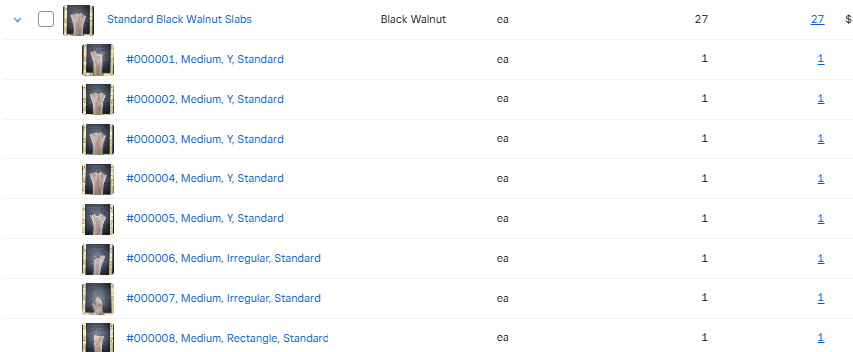
However, when I click into the item itself (not the variations), the order is all messed up. I don’t believe it’s in the order I’m passing items either…
I’m Square Dev AI, here to help answer your question!
Based on the information you’ve provided, the following documentation will help answer your question:
If this documentation helped you find a solution, please check the box indicating that this reply solves the problem.
Otherwise one of our Developer Advocates will provide additional assistance shortly.
Not concerned with the “orders api”, I’m concerned with the order (as in sequence, or arrangement) of item_variations under any item on my square site.
And I’m already successfully passing item_var ordinals using item_options, and that works in the first picture on my side, but not on my square site. Any other suggestions?
Apparently caused by SKU errors - Although each of my items is unique, I generally group them by type/size/shape on my end using sku, but I just added a unique identifier onto the end of sku that I was passing and it cleared the option ordering right up.
Thanks for waiting. I checked the item you provided, and it has the same SKU. That’s why the system can’t set up the arrangement properly. Error message " SKUs BW-Y-M-N, BW-X-M-N, and BW-R-M-N already exist in your library. "
These SKU codes are already assigned to items in your Square catalog.
You cannot use the same SKU for multiple items or item variations.
If you’re trying to add or update an item with one of these SKUs, you’ll need to use a unique SKU that isn’t already in use.
The photos and their order on the left, however, is not fixed by this. Odd, since they’re named in the same order as the unique identifier.


 I’m Square Dev AI, here to help answer your question!