Applies to: Terminal API
Learn how to display a screen that collects a buyer's contact information on the Square Terminal.
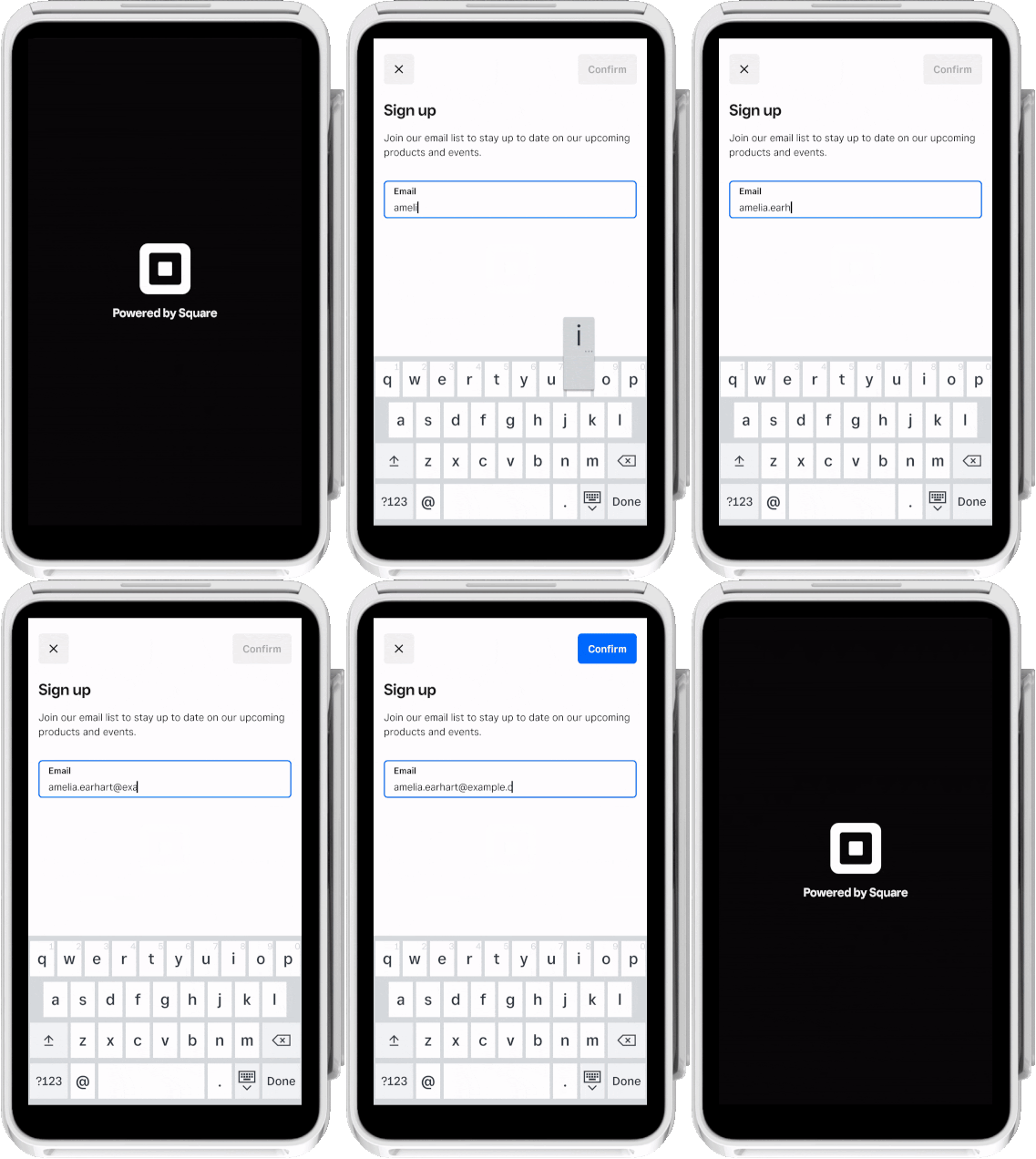
As part of creating custom workflows with the Terminal API, you can create a screen workflow that collects a buyer's contact information such as a phone number or email address. You send a Terminal action request of the DATA_COLLECTION type and the Square Terminal displays a screen with an input field, where the buyer provides contact information to submit and be collected for the seller's records.
In the request body, you can edit the title and body text that displays on the data collection screen. You can also specify the data input type to collect from the buyer. Set input_type to EMAIL or PHONE_NUMBER.
The following animation shows how the Square Terminal displays the data collection screen for the buyer:
- Send a Terminal action POST request using the CreateTerminalAction endpoint and specify the
DATA_COLLECTIONaction type. In thedata_collection_optionsbody, provide screen text fortitleandbody. Forinput_type, specify the type of contact information to collect from the buyer (EMAILorPHONE_NUMBER).
The Terminal action response includes an action_id and a PENDING status.
{
   "action": {
     "id": "termapia:abcdefg1234567",
     "device_id": "R5WNWB5BKNG9R",
     "deadline_duration": "PT5M",
     "status": "PENDING",
     "created_at": "2022-03-09T09:01:19.622Z",
     "updated_at": "2022-03-09T09:03:06.830Z",
     "type": "DATA_COLLECTION",
     "app_id": "sq0ids-abcdefg123456789",
     "data_collection_options": {
       "title": "Sign up",
       "body": "Join our email list to stay up to date",
       "input_type": "EMAIL"
     }
   }
 }
The Square Terminal displays the data collection screen for the buyer.
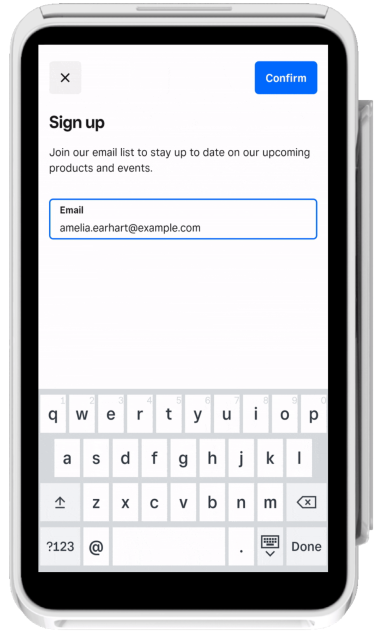
After the buyer confirms their contact information, the Terminal action is put in a COMPLETED state and the Square Terminal displays the idle screen.
- Send a GET request to retrieve the completed Terminal action and the buyer's submitted information.
The response returns the buyer's submitted information in data_collection_options.collected_data.input_text.
{
  "action": {
    "id": "termapia:abcdefg1234567",
    "device_id": "R5WNWB5BKNG9R",
    "deadline_duration": "PT5M",
    "status": "COMPLETED",
    "created_at": "2022-03-09T09:01:19.622Z",
    "updated_at": "2022-03-09T09:03:06.830Z",
    "type": "DATA_COLLECTION",
    "app_id": "sq0ids-abcdefg123456789",
    "data_collection_options": {
       "title": "Sign up",
       "body": "Join our email list to stay up to date",
       "input_type": "EMAIL",
       "collected_data": {
         "input_text": "[email protected]"
       }
    }
  }
}